


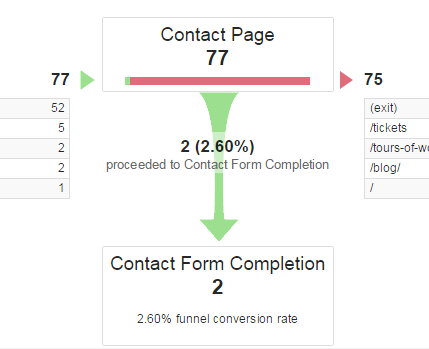
Goal Funnels in Google Analytics are great. They allow you to track the progress your users make toward a Goal completion, with defined steps leading up to a final conversion. You can see where your users fall out of the funnel, and focus your efforts on those troublesome steps. Over time you can improve conversion rates by focusing on the leaky parts of your Goal Funnels.
But Goal Funnels require you to set distinct URLs for each and every funnel step. Each step needs its own URL and, well… that’s not that always easy.
Let’s suppose that you have a form that submits back to itself: the form on /contact goes back to /contact. And let’s suppose that you want to track this form completion in Google Analytics.
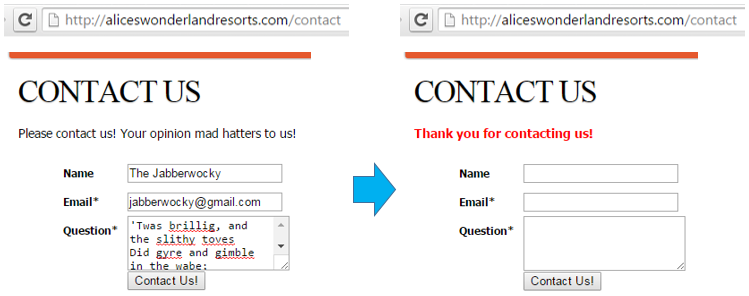
Let’s take a look at the website. This page contains a form that posts back to itself when it is submitted:

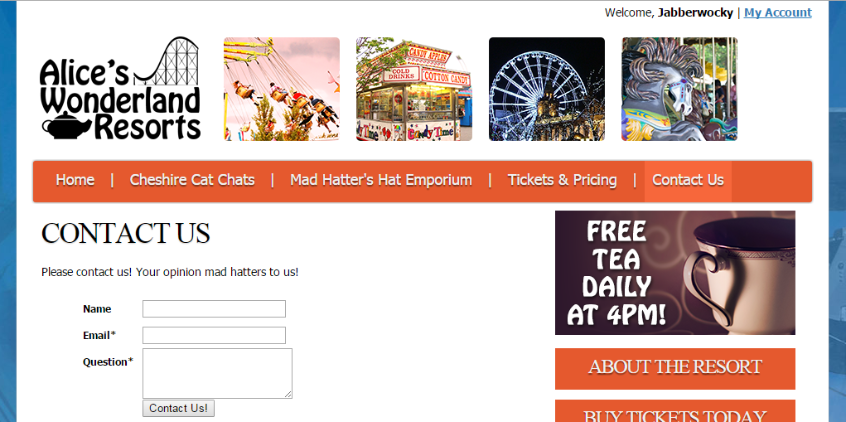
Let’s take a look at the code on the page.
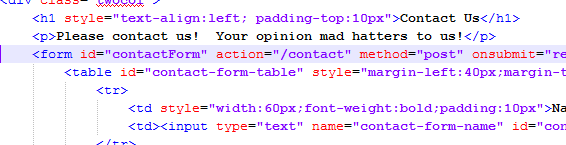
There’s a simple HTML form here with an action attribute, which points back to the same page, /contact.
Best Solution:
Ideally, we’d just have our developers modify this form code, and have the action go to /contact?thankyou=1. This “fake” query parameter doesn’t tell the server to do anything, so it wouldn’t change the way the page looks or functions. Then we could distinguish between pages in our Goal Funnel steps!
Buuuuut your developers are on another continent, and the job needs to be done immediately! Your boss is demanding this was done yesterday, and the costs are already soaring! What can you do?!
Immediate Solution:
Disclaimer: This method only works if your form actually reloads the page; it will not work with “Ajax” forms that submit without reloading the page.
Pop open Google Tag Manager. We’ll create a new Custom HTML tag and dynamically rewrite the Form’s action attribute.
Step 1. Click “New” to create a new Tag.

Step 2. Name it “HTML – Dynamic Form Action Swap”, or something similar. Choose “Custom HTML” as the Tag Type.
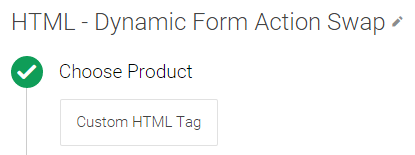
Step 3. Go back to your website and find the form id of your particular form. For ours, it’s contactForm.

Step 4. Then, using jQuery, we can target that specific form:
JavaScript
|
1
2
3
4
5
6
7
8
|
<script>
$(document).ready(function() {
var formAction = $("#contactForm").attr("action");
var queryExists = formAction.indexOf("?") > -1;
var extraParameter = queryExists ? "&thankyou=1" : "?thankyou=1";
$("#contactForm").attr("action", formAction + extraParameter);
});
</script>
|
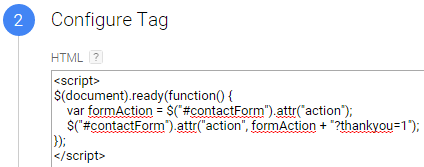
This code rewrites the form and tells it to post to the same page with ?thankyou=1 at the end. It grabs the form action, stores it in a variable, and then rewrites the action with the appended dummy query parameter. And it’s all dynamic. (Pretty cool!)
(If this is throwing errors, perhaps your site doesn’t use the $ selector but uses jQuery or another selector instead. Just swap that in above.)
Step 5. Add a Trigger that will fire just on the page we need.
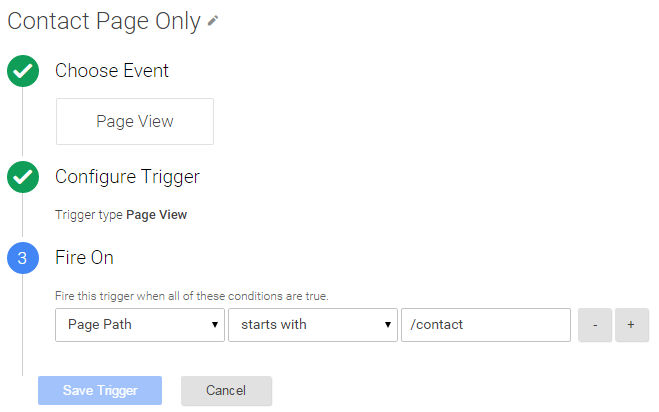
Step 6. Preview, Test, and Publish!
Step 7. Now create the Goal Funnel inside Google Analytics. Go into Google Analytics, click into the Admin, look under the correct View, choose Goals, and add a New Goal. Choose Custom, and then fill out the Goal like so:
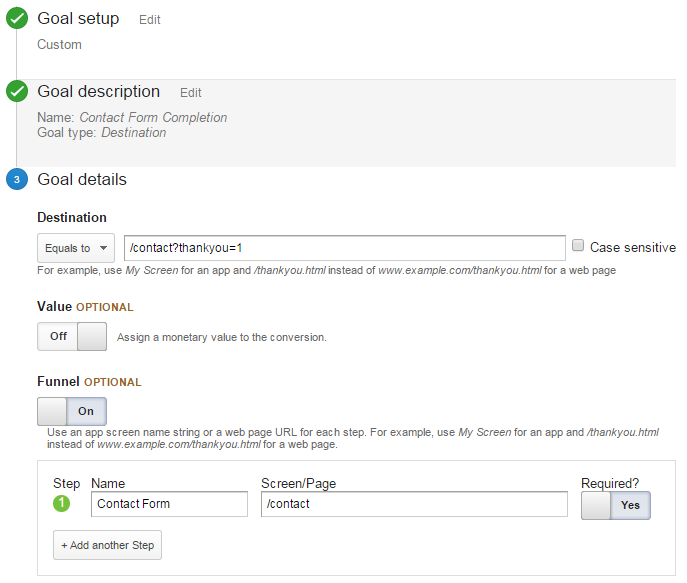
And that’s it! Seriously!
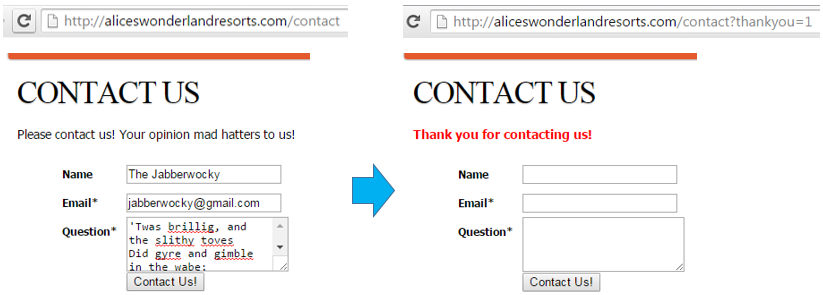
Beautiful! Now to work on that conversation rate…
Troubleshooting:
Q: What if my form doesn’t have an id?
A: Does your form have a class? Let’s pretend it has a class called contactFormClass:
JavaScript
|
1
2
3
4
5
6
7
8
|
<script>
$(document).ready(function() {
var formAction = $("form.contactFormClass").attr("action");
var queryExists = formAction.indexOf("?") > -1;
var extraParameter = queryExists ? "&thankyou=1" : "?thankyou=1";
$("form.contactFormClass").attr("action", formAction + extraParameter);
});
</script>
|
Q: What if I don’t have a class?
A: Does your form have a name? Maybe it has a name called contactFormName:
JavaScript
|
1
2
3
4
5
6
7
8
|
<script>
$(document).ready(function() {
var formAction = $("form[name='contactFormName']").attr("action");
var queryExists = formAction.indexOf("?") > -1;
var extraParameter = queryExists ? "&thankyou=1" : "?thankyou=1";
$("form[name='contactFormName']").attr("action", formAction + extraParameter);
});
</script>
|
Q: No, seriously. There’s no id or class or name or anything.
A: You can select the form based on the action itself:
JavaScript
|
1
2
3
4
5
|
<script>
$(document).ready(function() {
$("form[action='/contact']").attr("action", "/contact?thankyou=1");
});
</script>
|
Q: What if my website doesn’t have jQuery?
A: You can easily accomplish this exact same technique without jQuery, using vanilla JavaScript. (In fact, you might even prefer to.) Let’s pretend the form id is contactForm again:
JavaScript
|
1
2
3
4
5
6
|
<script>
var formAction = document.getElementById("contactForm").getAttribute("action");
var queryExists = formAction.indexOf("?") > -1;
var extraParameter = queryExists ? "&thankyou=1" : "?thankyou=1";
document.getElementById("contactForm").setAttribute("action", formAction + extraParameter);
</script>
|
Q: What if my website doesn’t have Google Tag Manager?
A: Well then, you’re going to have to make a change to the page’s code itself. In that case you’d be better off using the “Best Solution” option above. (And seriously, isn’t it time to upgrade to Google Tag Manager?)
文章末尾固定信息

评论